
Notice
Recent Posts
Recent Comments
Link
250x250
| 일 | 월 | 화 | 수 | 목 | 금 | 토 |
|---|---|---|---|---|---|---|
| 1 | 2 | 3 | 4 | |||
| 5 | 6 | 7 | 8 | 9 | 10 | 11 |
| 12 | 13 | 14 | 15 | 16 | 17 | 18 |
| 19 | 20 | 21 | 22 | 23 | 24 | 25 |
| 26 | 27 | 28 | 29 | 30 | 31 |
Tags
- 과천 한식
- 태블로 신병훈련소
- 과천 맛집
- python
- 칼국수 어디로
- 칼국수 맛집
- 조리원이야기
- 주피터
- 크롤링
- 신병훈련소 태블로
- 태블로
- pip install
- 양재 회식
- 신병훈련소
- vscode
- 한전아트센터 웨딩홀
- 일기
- 7월 일기
- 남한산성 사찰
- 조리원
- 텍스트크롤링
- 양재 맛집
- 용인 절
- 조리원생활
- Tabpy
- 을지로3가
- 태블로 탭파이
- 용인 사찰
- 취준일기
- Selenium
Archives
- Today
- Total
김빵디
특정 유투브채널 게시글을 텍스트 크롤링 후 워드클라우드(WordCloud)해보자(feat.세분일레븐) 본문
728x90
'''
#이전에 적어둔 글.. 시도는 좋았다..!
이 전글에 유투브 댓글 크롤링을 시도했다.
크롤링한 데이터를 가지고 댓글에 대한 감정분석을 해볼생각이다.
데이터가 얼마없어서 크게 의미있지는 않을것같지만...
시도해본다는것에 대해 의미를 가지고 시작해봐야지~
'''
원래 하고싶었던건 감정분석이였지만. 데이터가 부족해서 텍스트 워드클라우드를 해볼예정이다.
(사실 시도해봤는데 데이터가없어서 값이안나왔다 200개밖에안되서..... 이거땜에 시간 허비를 많이했다ㅠㅠ)
삽질을 꽤 오랜시간 했어서 이제야 게시글을 올리게되었다. (쓰-읍)

텍스트크롤링은 이전 문서를 보면 금방할 수 있다.
f = pd.read_csv('파일경로', encoding='utf-8-sig')
print(f.head(5))
#csv파일을 잘 읽어들일수있는지 head5개만 터미널에서 확인해본다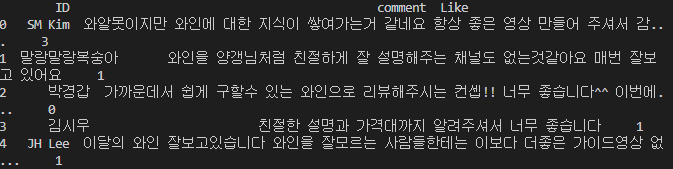
#dataset check(dimension, 결측치, information)
print('데이터셋 확인: dimension, 결측치, information ')
print(f.shape)
print(f.isnull().sum())
print(f.info())
print(f['comment'][100])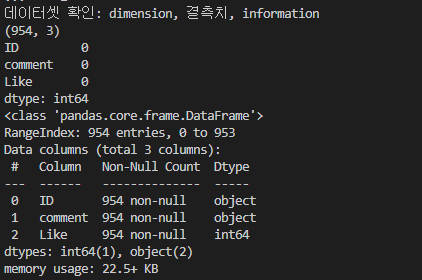
#명사형태소 추출
okt = Okt()
nouns = okt.nouns(apply_regular_expression(f['comment'][0]))
print(nouns)

#말뭉치
corpus = "".join(f['comment'].tolist())
#print(f'corpus::{corpus}')
#정규표현식
apply_regular_expression(corpus)
#말뭉치(corpus) 명사 형태소 추출
nouns = okt.nouns(apply_regular_expression(corpus))
print(f'말뭉치 안에서 명사형태소 추출: {nouns}')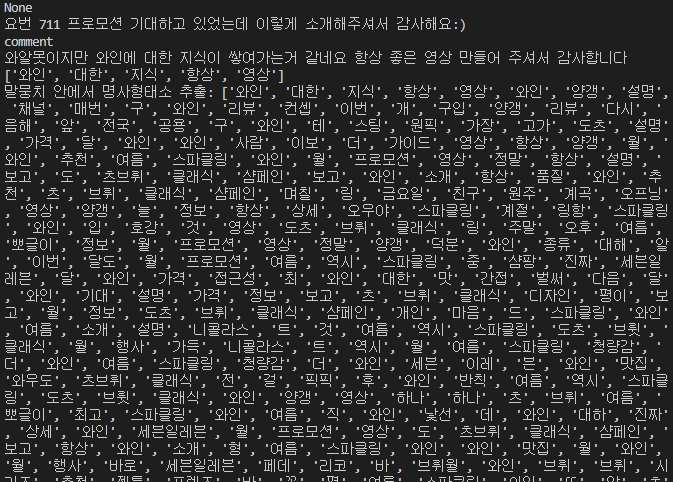
av_list = dict(av)
av_list = list(av.items())
print(f'av_list::{av_list}')

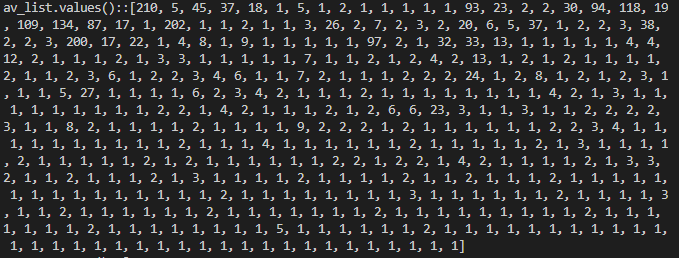


완벽하진 않은 것 같다...
더해봐야지!
#전체코드
from itertools import count
from lib2to3.pgen2.tokenize import tokenize
from os import remove
from unittest.util import sorted_list_difference
from konlpy.tag import Okt
from collections import Counter
from matplotlib import collections
from matplotlib.style import available
from numpy import negative, positive
from sklearn.feature_extraction.text import CountVectorizer
from sklearn.feature_extraction.text import TfidfTransformer
from sklearn.model_selection import train_test_split
from sklearn.linear_model import LogisticRegression
from sklearn.metrics import accuracy_score, precision_score, recall_score, f1_score
from sklearn.metrics import confusion_matrix
from wordcloud import WordCloud


#import
import pandas as pd
import re
import matplotlib.pyplot as plot
import seaborn as sns
import wordcloud
import collections

f = pd.read_csv('파일경로', encoding='utf-8-sig')
print(f.head(5))
#csv파일을 잘 읽어들일수있는지 head5개만 터미널에서 확인해본다

#dataset check(dimension, 결측치, information)
print('데이터셋 확인: dimension, 결측치, information ')
print(f.shape)
print(f.isnull().sum())
print(f.info())
print(f['comment'][100])

#정규표현식
def apply_regular_expression(comment):
    hangul = re.compile('[^ ㄱ-ㅣ 가-힣]')
    result = hangul.sub('',comment)
    return result

print(['comment'][0])
print(apply_regular_expression(f['comment'][0]))

#명사형태소 추출
okt = Okt()
nouns = okt.nouns(apply_regular_expression(f['comment'][0]))
print(nouns)

#말뭉치
corpus = "".join(f['comment'].tolist())
#print(f'corpus::{corpus}')
#정규표현식
apply_regular_expression(corpus)
#말뭉치(corpus) 명사 형태소 추출
nouns = okt.nouns(apply_regular_expression(corpus))
print(f'말뭉치 안에서 명사형태소 추출: {nouns}')

#불용어(우리/매우 등)
stopwords = pd.read_csv("https://raw.githubusercontent.com/cranberryai/todak_todak_python/master/machine_learning_text/clean_korean_documents/korean_stopwords.txt").values.tolist()

#추가적으로 수동제거할 불용어 단어
seven_comment_stopwords = [
    '오늘','리코','덕분','역시','츠브뤼','대박','하나','매번','항상','대해','요도','사서','한번',
    '사서','완료','바로','생각','감사','라인','달도','최고','제일','오페','러즈','아주','부담','평이','가장','요전','대한','정말','이번','오우야','음해','가요'
    '평소','산지','여요','여기','모두','마리','좀더','링항','다시','이보','진짜'
 ]

for word in seven_comment_stopwords:
    stopwords.append(word)

#counter = Counter(list_over_key)
#한글자 명사 제거
available_counter = [x for x in nouns if len(x) > 1]
available_counter_1 = [x for x in available_counter if x not in stopwords]
available_counter_1 = [x for x in available_counter_1 if x not in seven_comment_stopwords]

#딕셔너리로 변환하여 중복값 체크
av = {}
count_list_new = []

#중복카운팅
for i in available_counter_1:
    if i in av:
        av[i] += 1
    else:
        av[i] = 1

print(f'av::{av}')


av_list = dict(av)
av_list = list(av.items())
print(f'av_list::{av_list}')

count_list_keys = list(av.keys())
print(f'count_list_keys::{av.keys()}')

count_list_value = list(av.values())
print(f'av_list.values()::{count_list_value}')

#sort 내림차순
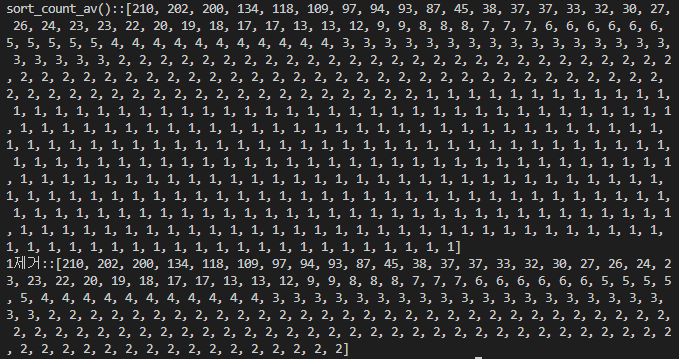
sort_count_av = sorted(count_list_value, reverse=True)
print(f'sort_count_av()::{sort_count_av}')

while 1 in sort_count_av:
    sort_count_av.remove(1)

print(f'1제거::{sort_count_av}')

#zip
word_count_dict = dict(zip(count_list_keys, sort_count_av))

#시각화
wc = WordCloud(font_path='H2GTRE', width=400, height=400, scale=2.0, max_font_size=60,background_color="white")
gen = wc.generate_from_frequencies(word_count_dict)
plot.figure()
plot.imshow(gen)

wc.to_file('파일경로 및 파일만들어주기')
728x90
'외로운 싸움 > Selenium' 카테고리의 다른 글
'외로운 싸움/Selenium' Related Articles
more


